
Relationships
Learn how to create database relationships and configure foreign key actions in StackRender.
Create Relationship
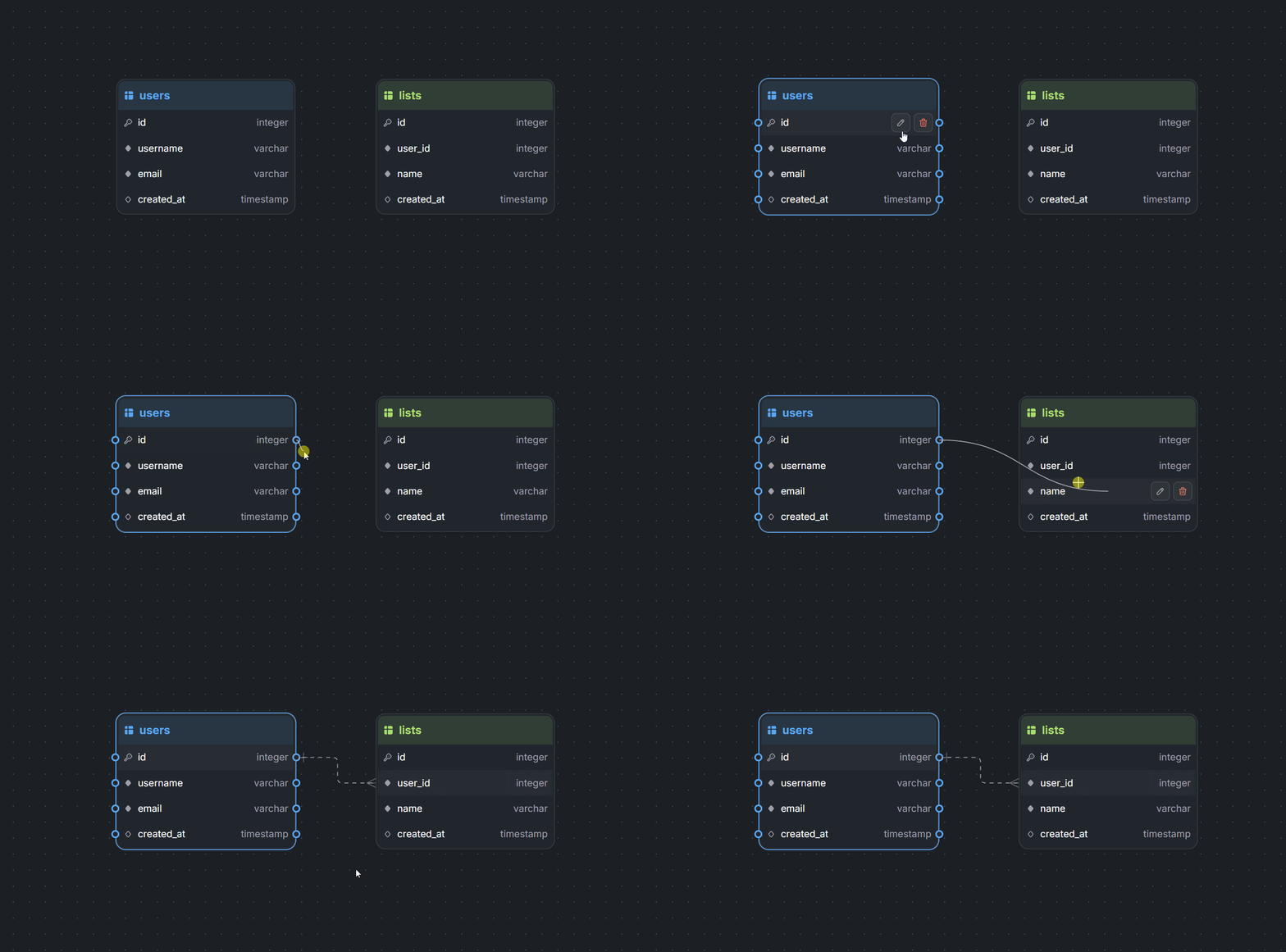
To create a relationship between two tables in StackRender, start by selecting the source table. Small handlers will appear next to each field.
Drag a handler from the source field and drop it onto the referenced field in the target table. StackRender will automatically create the relationship between the two tables.
The source field must have the same data type as the referenced field. If the data types do not match, StackRender will display an error.
Best practices
-
- Always reference a table’s Primary Key or a Unique field when creating relationships.
-
- StackRender automatically generates a default foreign key constraint name using the format
<table_name>_<column_name>_fk.
The name is automatically synchronized whenever the table or column name changes, ensuring that foreign key constraints always follow database naming best practices.
- StackRender automatically generates a default foreign key constraint name using the format
Cardinalities
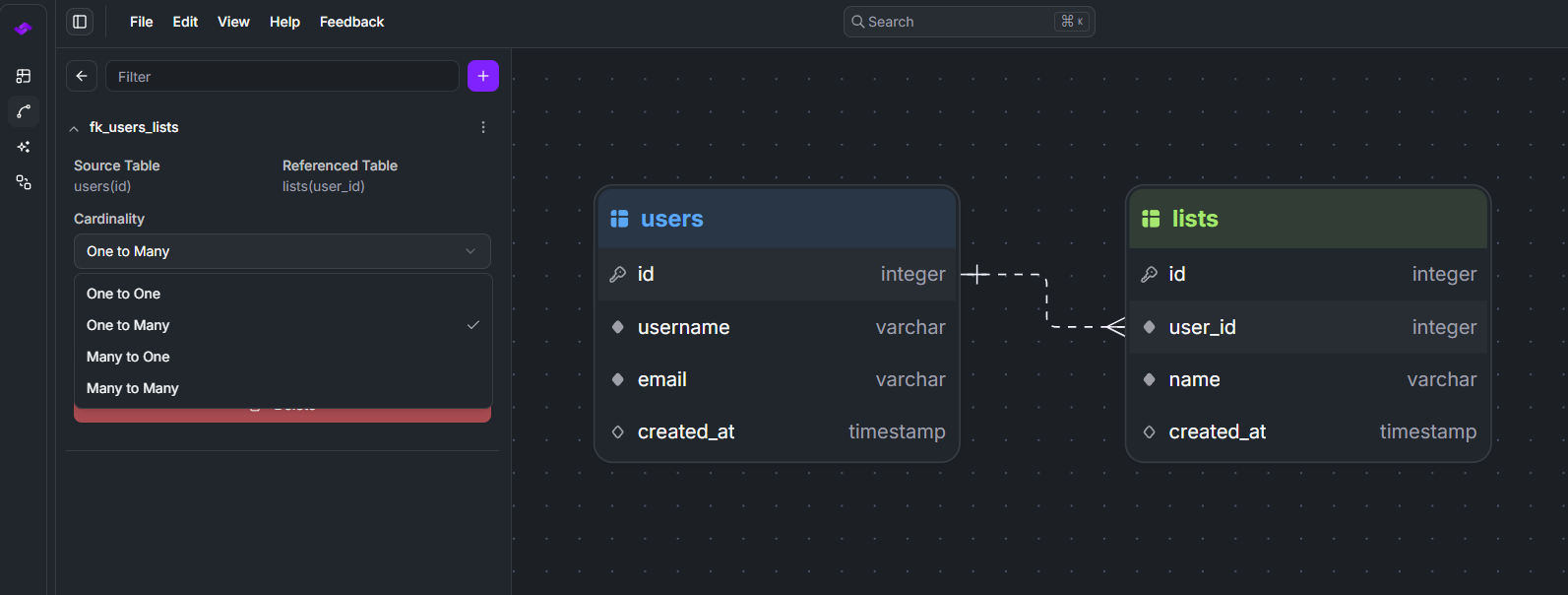
StackRender supports the four main database relationship cardinalities, allowing you to model how records relate between tables:
-
- One-to-Many (1:N) – A single record in one table can relate to multiple records in another table.
-
- Many-to-One (N:1) – Multiple records in one table reference a single record in another table.
-
- One-to-One (1:1) – A record in one table relates to exactly one record in another table.
-
- Many-to-Many (N:N) – Multiple records in one table can relate to multiple records in another table, typically implemented using a junction table.
Foreign Key Actions
In StackRender, you can configure foreign key actions for both ON DELETE and ON UPDATE. These actions define how related records behave when a referenced row is updated or deleted.
Supported actions:
- NO ACTION
- CASCADE
- SET NULL
- SET DEFAULT
- RESTRICT
Example SQL Output
ALTER TABLE "lists"
ADD CONSTRAINT "fk_users_lists" FOREIGN KEY (user_id) REFERENCES "users" (id)
ON DELETE CASCADE
ON UPDATE SET NULL;
Junction Table
A many-to-many (N:N) relationship in an ERD is translated into a junction table that connects the source table with the referenced table in the database.
When you create a Many-to-Many relationship in StackRender, the system automatically generates a junction table in the SQL output. This table includes:
- Two foreign keys referencing the related tables
- A composite primary key composed of both foreign key columns
The following example shows a many-to-many relationship between the tables tasks and tags.
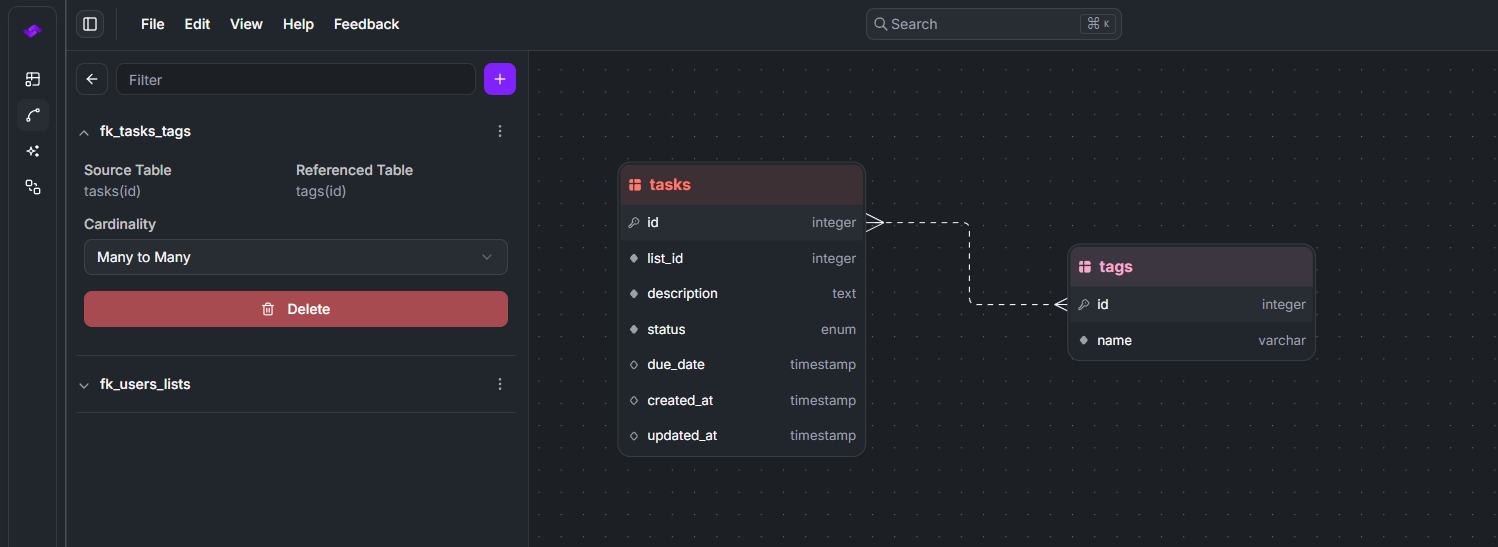
StackRender generates a junction table named task_tags with two foreign key constraints: one referencing the tasks table and the other referencing the tags table.
CREATE TABLE "task_tags" (
  task_id INTEGER NOT NULL,
  tag_id INTEGER NOT NULL,
  PRIMARY KEY ("task_id", "tag_id")
);

ALTER TABLE "task_tags"
ADD CONSTRAINT "fk_tasks_task_tags"
FOREIGN KEY (task_id) REFERENCES "tasks" (id) ON DELETE CASCADE;

ALTER TABLE "task_tags"
ADD CONSTRAINT "fk_tags_task_tags"
FOREIGN KEY (tag_id) REFERENCES "tags" (id) ON DELETE CASCADE;