
Indexes
Learn how to create and manage database indexes in StackRender to improve query performance.
This guide explains how to define indexes on your tables, configure their properties, and generate optimized SQL for supported database dialects.
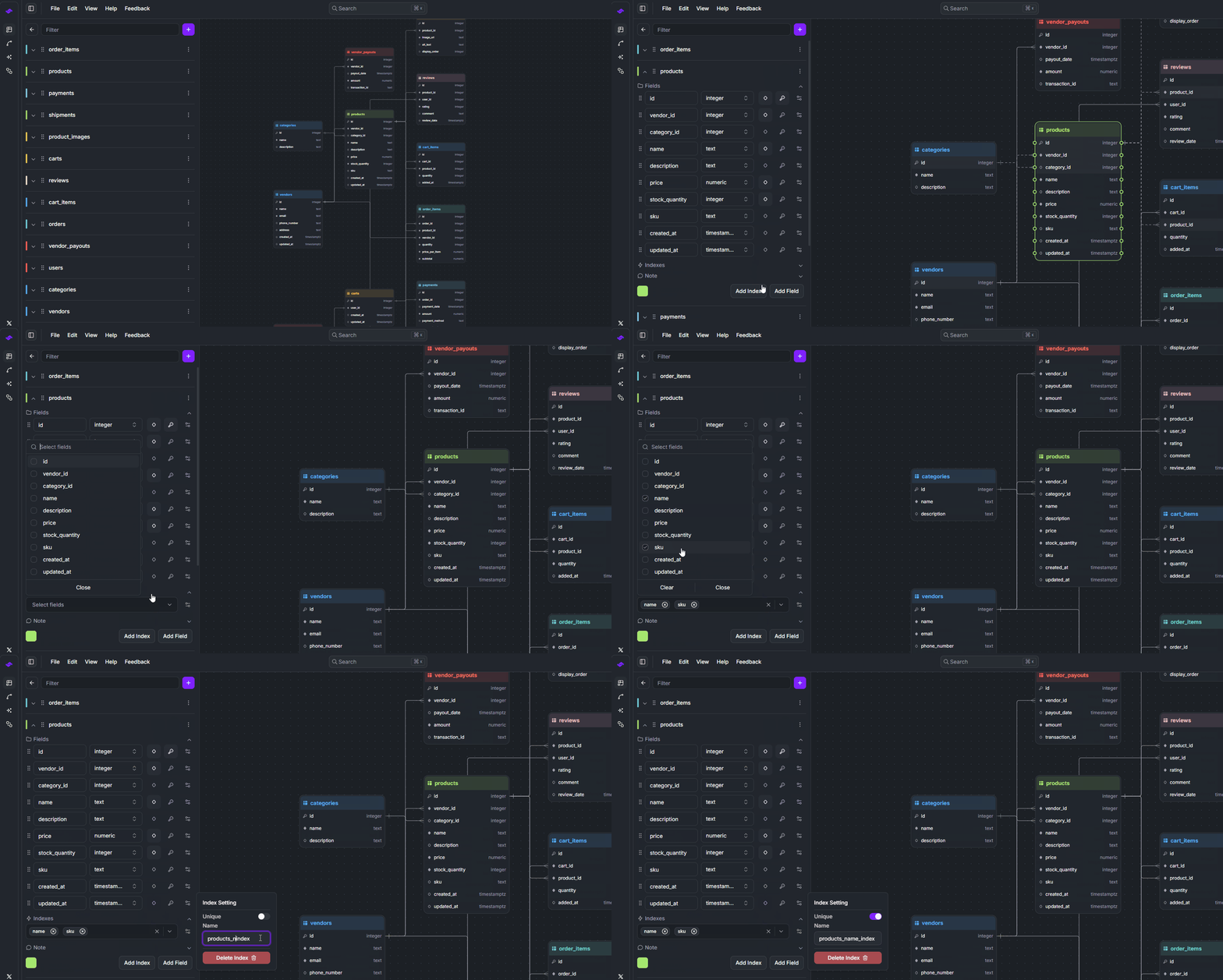
To create a table index in StackRender, follow these steps:
- Select the table where you want to create the index.
- Click the Add Index button.
- A new index will appear below the table fields.
- Select the columns to include in the index.
- Give the index a name and configure its uniqueness if needed.
Once configured, StackRender automatically generates the corresponding SQL statement.
Example SQL Output:
CREATE UNIQUE INDEX "products_name_index"
ON "products" ("name", "sku");