
Table & Fields
Learn how to create and manage tables and fields in StackRender to build and organize your database schema. This guide explains how to define tables, add fields, and structure your data using the diagram editor.
Create Table
To create a new table, click the Plus Sign icon in the left panel. The table will appear on the diagram canvas as well as in the left panel, ready to be edited and customized to your needs.
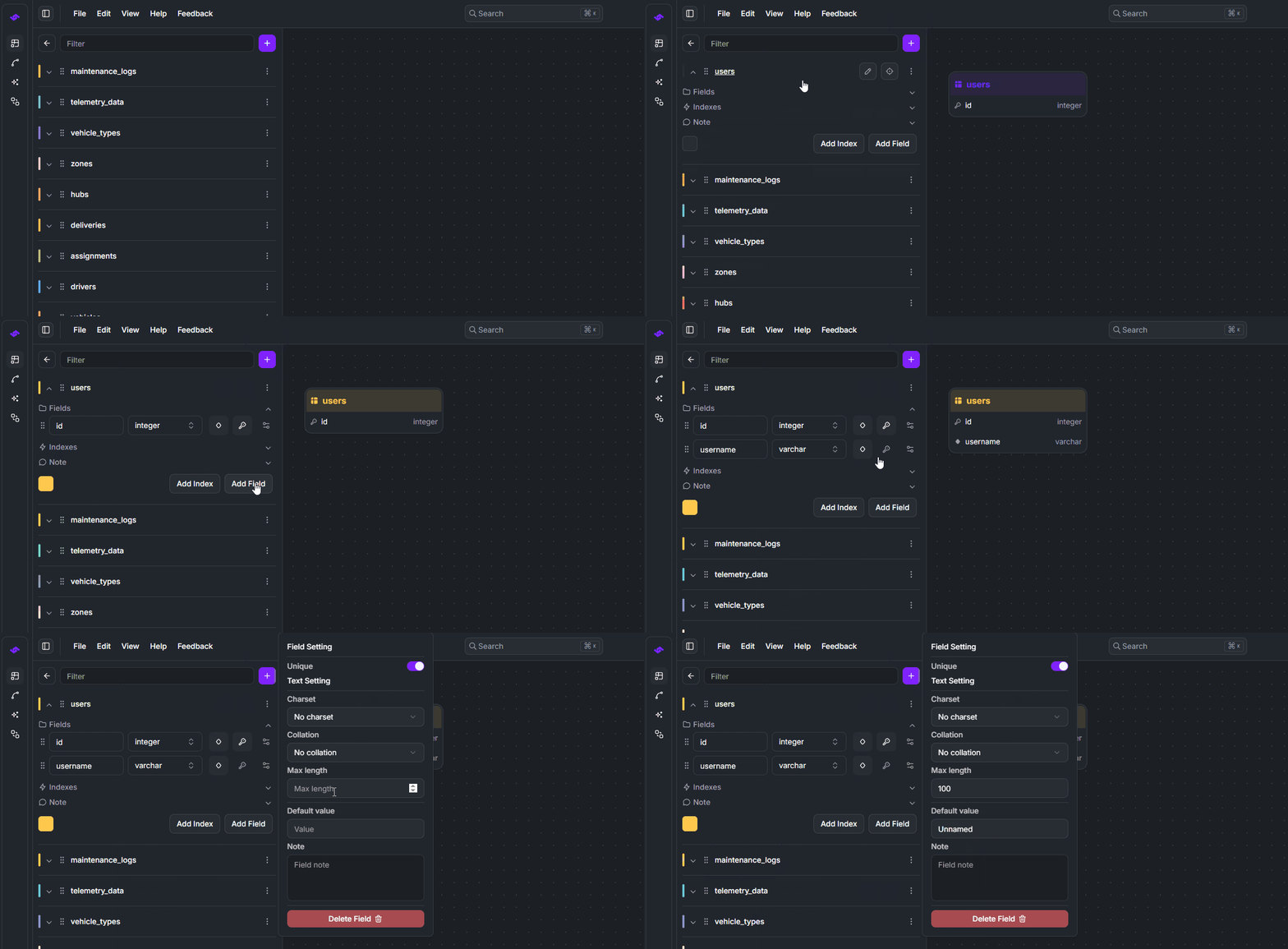
Table Actions
StackRender allows you to perform additional actions on your tables to organize and personalize your database diagrams. You can rename tables, duplicate them, add notes, reorder tables, and customize their colors for better clarity.
Field Attributes & Modifiers
Fields in StackRender support a variety of field attributes and modifiers depending on the selected data type and database dialect. Here are the attributes and modifiers you can control for each table field:
Name
Data Types
Primary Key
Uniqueness
Auto Increment
Default Value
Nullability
Length / Width
Scale
Precision
Unsigned MySQL Only
ZeroFill MySQL Only
Charset MySQL Only
Collation MySQL Only
Enum Values No Sqlite
Note
If multiple primary keys are defined a composite primary key will be generated in the SQL output.
CREATE TABLE EmployeeRoomAssignment (
    employee_id INT NOT NULL,
    room_id INT NOT NULL,
    assigned_date DATE,
    PRIMARY KEY (employee_id, room_id)
);
In the next page, we’ll explore database field data types in detail and explain the attributes and modifiers available for each type. This will help you design your schema more accurately and efficiently.